



Call of Duty 4 Modern Warfare
 War rages on in the fourth edition of Activision's acclaimed war game. For the first time in the series, Call of Duty moves away from WWII to the modern battlefield. Armed with an arsenal of advanced and powerful modern day firepower, players are transported to treacherous hotspots around the globe to take on a rogue enemy group threatening the world. As both a U.S Marine and British S.A.S. soldier fighting through an unfolding story full of twists and turns, players use sophisticated technology, superior firepower and coordinated land and air strikes on a battlefield where speed, accuracy and communication are essential to victory. The epic title also delivers an added depth of multiplayer action providing online fans an all-new community of persistence, addictive and customizable gameplay.
Call of Duty 4 Modern Warfare Full-Rip Skullptura
PC game | Language: English | Publisher: Activision Genre: Modern First-Person Shooter
Minimum System Requirements:
OS: Windows XP/Vista only
CPU: Pentium 4 2.4 GHz/ Athlon 64 2800+ (Intel & Athlon 1.8 GHz Dual Core or better supported
RAM: 512MB RAM (768MB for Vista)
VGA: 128MB 3d Hardware Accelerated card required-100% DirectX 9.0c compatible and latest drivers (NVIDIA GeForce 6600+ / ATI Radeon 9800 Pro+)
DX: DirectX 9.0c
HDD: 8 GB of uncompressed free hard disk space (plus 600 MB for Windows swap file)
ODD: 6X DVD-ROM.
PC game | Language: English | Publisher: Activision Genre: Modern First-Person Shooter
Minimum System Requirements:
OS: Windows XP/Vista only
CPU: Pentium 4 2.4 GHz/ Athlon 64 2800+ (Intel & Athlon 1.8 GHz Dual Core or better supported
RAM: 512MB RAM (768MB for Vista)
VGA: 128MB 3d Hardware Accelerated card required-100% DirectX 9.0c compatible and latest drivers (NVIDIA GeForce 6600+ / ATI Radeon 9800 Pro+)
DX: DirectX 9.0c
HDD: 8 GB of uncompressed free hard disk space (plus 600 MB for Windows swap file)
ODD: 6X DVD-ROM.
Download Call of Duty 4 Modern Warfare Part1 Part2 Part3 Part4
1. Rename Call.of.Duty.4.Modern.Warfare.Full-Rip.Skullptura.7z.001.rar then delete ".rar" in the back
2. Rename Call.of.Duty.4.Modern.Warfare.Full-Rip.Skullptura.7z.002.rar then delete ".rar" in the back
3. Rename Call.of.Duty.4.Modern.Warfare.Full-Rip.Skullptura.7z.003.rar then delete ".rar" in the back
4. Rename Call.of.Duty.4.Modern.Warfare.Full-Rip.Skullptura.7z.004.rar then delete ".rar" in the back
5. Then join with HJSPLIT, extract to HDD then run SETUP.BAT, wait until finish
1. Rename Call.of.Duty.4.Modern.Warfare.Full-Rip.Skullptura.7z.001.rar then delete ".rar" in the back
2. Rename Call.of.Duty.4.Modern.Warfare.Full-Rip.Skullptura.7z.002.rar then delete ".rar" in the back
3. Rename Call.of.Duty.4.Modern.Warfare.Full-Rip.Skullptura.7z.003.rar then delete ".rar" in the back
4. Rename Call.of.Duty.4.Modern.Warfare.Full-Rip.Skullptura.7z.004.rar then delete ".rar" in the back
5. Then join with HJSPLIT, extract to HDD then run SETUP.BAT, wait until finish
Microsoft Windows 8.1

This is a detailed preview of the next major release of Windows, code-named Windows 8. From the chipset to the user experience, Windows 8 brings a new range of capabilities without compromise.
Windows 8 is designed to be the first Windows client to support systems on a chip (SoC) architectures, including ARM, and since it will be pre-installed on a range of next generation devices, it will also feature Metro, a NUI + GUI interface on the surface combined with a new application platform under-the-hood designed to enable the creation of immersive experiences.
The latest iteration of Microsoft's operating system brings an innovative new platform and tools to developers. Windows 8 apps can use a broad set of new libraries and controls, designed for fluid interaction and seamless connectivity. Apps can add new capabilities to Windows and to other apps, connecting with one another through the new interface.
FEATURES:
Touch-First User Interface
• Metro style. Windows 8 introduces a new Metro style interface built for touch, which shows information important to you, embodies simplicity and gives you control. The Metro style UI is equally at home with a mouse and keyboard as well.
• Touch-first browsing, not just browsing on a touch device. Providing a fast and fluid touch-browsing experience, Internet
Explorer 10 puts sites at the center on new Windows 8 devices.
More Ways to Engage With Powerful, Connected Apps
• Powered by apps. Metro style apps built for Windows 8 are the focal point of your experience, filling your entire screen so there are no distractions.
• Apps can work together. Apps communicate with each other in Windows 8. For example, you can easily select and email photos from different places, such as Facebook, Flickr or on your hard drive.
• Your experience syncs across your devices. Live roams all the content from the cloud services you use most – photos, email, calendar and contacts – keeping them up-to-date on your devices. With SkyDrive, you can access your files, photos and documents from virtually anywhere with any browser or with Metro style apps in Windows 8.
Enhanced Fundamentals
• The best of Windows 7, only better. Windows 8 is built on the rock-solid foundation of Windows 7, delivering improvements in performance, security, privacy and system reliability. Windows 8 reduces the memory footprint needed – even on the lowest-end hardware – leaving more room for your apps.
• Preserving power-user favorites and making them better. For those who push the limits of their PC, Windows 8 features an enhanced Task Manager and Windows Explorer and new, flexible options for multimonitor setups.
New Generation of Hardware
• One Windows - many shapes and sizes. Support for ARM-based chipsets, x86 (as well as x32 and x64) devices, touch and sensors means Windows 8 works beautifully across a spectrum of devices, from 10-inch tablets and laptops to all-in-ones with 27-inch high-definition screens.
• Always connected. With Windows 8, new ultrathin PCs and tablets turn on instantly, run all day on a single charge and stay connected to the Internet so your PC is ready when you are. Next-generation system on a chip (SoC) support will also enable greatly extended standby and low-power states.
• Tap the full power of your PC. Windows 8 runs on PCs and is compatible with the devices and programs you use today on Windows 7, without compromise, to deliver the performance you expect of a PC.
New Developer Opportunities
• Windows Store. The Windows Store will allow developers to sell their apps anywhere Windows is sold worldwide, whether they’re creating new games or familiar productivity tools.
• Build using more languages. Windows 8 lets you leverage your existing skills and code assets to create great experiences using the programming language you prefer.
• Rich hardware integration leads to richer experiences, particularly for games. DirectX 11 gaming power underlies Windows 8, allowing the easy creation of full-screen games with smooth, flicker-free action.
SYSTEM REQUIREMENTS:
• Processor: 1 GHz
• RAM: 1 GB (32-bit) or 2 GB (64-bit)
• Hard disk space: 16 GB (32-bit) or 20 GB (64-bit)
• Graphics card: Microsoft DirectX 9 graphics device
Download Windows 8.1
Homepage: MICROSOFT.COM
Windows 8 is designed to be the first Windows client to support systems on a chip (SoC) architectures, including ARM, and since it will be pre-installed on a range of next generation devices, it will also feature Metro, a NUI + GUI interface on the surface combined with a new application platform under-the-hood designed to enable the creation of immersive experiences.
The latest iteration of Microsoft's operating system brings an innovative new platform and tools to developers. Windows 8 apps can use a broad set of new libraries and controls, designed for fluid interaction and seamless connectivity. Apps can add new capabilities to Windows and to other apps, connecting with one another through the new interface.
FEATURES:
Touch-First User Interface
• Metro style. Windows 8 introduces a new Metro style interface built for touch, which shows information important to you, embodies simplicity and gives you control. The Metro style UI is equally at home with a mouse and keyboard as well.
• Touch-first browsing, not just browsing on a touch device. Providing a fast and fluid touch-browsing experience, Internet
Explorer 10 puts sites at the center on new Windows 8 devices.
More Ways to Engage With Powerful, Connected Apps
• Powered by apps. Metro style apps built for Windows 8 are the focal point of your experience, filling your entire screen so there are no distractions.
• Apps can work together. Apps communicate with each other in Windows 8. For example, you can easily select and email photos from different places, such as Facebook, Flickr or on your hard drive.
• Your experience syncs across your devices. Live roams all the content from the cloud services you use most – photos, email, calendar and contacts – keeping them up-to-date on your devices. With SkyDrive, you can access your files, photos and documents from virtually anywhere with any browser or with Metro style apps in Windows 8.
Enhanced Fundamentals
• The best of Windows 7, only better. Windows 8 is built on the rock-solid foundation of Windows 7, delivering improvements in performance, security, privacy and system reliability. Windows 8 reduces the memory footprint needed – even on the lowest-end hardware – leaving more room for your apps.
• Preserving power-user favorites and making them better. For those who push the limits of their PC, Windows 8 features an enhanced Task Manager and Windows Explorer and new, flexible options for multimonitor setups.
New Generation of Hardware
• One Windows - many shapes and sizes. Support for ARM-based chipsets, x86 (as well as x32 and x64) devices, touch and sensors means Windows 8 works beautifully across a spectrum of devices, from 10-inch tablets and laptops to all-in-ones with 27-inch high-definition screens.
• Always connected. With Windows 8, new ultrathin PCs and tablets turn on instantly, run all day on a single charge and stay connected to the Internet so your PC is ready when you are. Next-generation system on a chip (SoC) support will also enable greatly extended standby and low-power states.
• Tap the full power of your PC. Windows 8 runs on PCs and is compatible with the devices and programs you use today on Windows 7, without compromise, to deliver the performance you expect of a PC.
New Developer Opportunities
• Windows Store. The Windows Store will allow developers to sell their apps anywhere Windows is sold worldwide, whether they’re creating new games or familiar productivity tools.
• Build using more languages. Windows 8 lets you leverage your existing skills and code assets to create great experiences using the programming language you prefer.
• Rich hardware integration leads to richer experiences, particularly for games. DirectX 11 gaming power underlies Windows 8, allowing the easy creation of full-screen games with smooth, flicker-free action.
SYSTEM REQUIREMENTS:
• Processor: 1 GHz
• RAM: 1 GB (32-bit) or 2 GB (64-bit)
• Hard disk space: 16 GB (32-bit) or 20 GB (64-bit)
• Graphics card: Microsoft DirectX 9 graphics device
Download Windows 8.1
Homepage: MICROSOFT.COM
Photoshop Elements 12
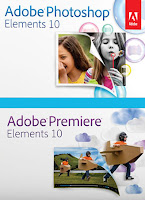
The program Adobe® Photoshop® Elements combines great features and easy to perform a wide range of tasks: editing and photo processing, storage is always "at hand" creative work with photos with exciting new ideas that you can implement in the original slide show, photo mailing emails, web galleries, and countless other possibilities.
A new version of the entry-level video editor Adobe® Premiere® Elements 10 for Windows. Among the features introduced in this release, you can provide new tools for rapid image correction
Not in vain the name of the program is the word «Elements». This is not the full version of the famous program Adobe® Photoshop®. Full version, designed for professional photographers and designers, has many features, it is not necessary an ordinary user. Lay people understand it is very difficult. There are a lot easier.
Despite the fact that this is not the full version of the original program, Adobe® Photoshop® Elements 9.0 has a very broad capabilities for working with images. Forget about the confusion with the names of files that are automatically generated digital camera. Now all the photos are organized in one central location. Photos can be organized using tags (keywords) that help to classify the whole group of photos. The application also allows you to instantly find the photo you want, regardless of the size of the collection.
Features:
- Creating optimal exposure. Want to hit the photo captured all the details of the plot, including light and dark areas? Perform one shot with flash and one without, and the function of exposition Photomerge® combines these images into a single, perfectly lit photo.
- Resize images without distortion. Want to change the size or location of the photograph, to be placed in a certain frame? Now you can quickly resize images and even change the page orientation without distorting the main elements of these images: people and buildings.
- Convenient centralized management of all abilities. Handy organizer allows you to combine photos and videos, and plays the role of the control center for all the footage. Now you can easily search, view and manage their media data, and use the whole range of possibilities for their creative process.
- Quickly find your best photos. Now you do not need to open hundreds of shots to choose the best. Take advantage of the automatic analyzer, which automatically mark up your footage to a ymogli find the most interesting and high quality pictures and videos.
- Instant search of photographs of the right people. Thanks to the recognition of personalities, automatically identify people in the pictures, you can quickly find photos and videos, which show your friends or relatives.
- Zoom. Thanks to full-screen preview of organizer you can quickly view and evaluate the photos and videos, and now in this mode you can also edit images.
- Elimination of defects and the creation of these masterpieces in seconds. Photo Effects will make teeth whiter in the photos, the sky - a bright blue. And now, when the following one-step set of photos, including the adjustment of light, contrast and brightness, you can quickly choose the best score of the group preview.
- Give your images a sense of freshness. Experiment with new design elements and patterns to give a new look to their pictures printed out.
- Take advantage of Windows 7 support. Take advantage of the new platform, Windows® 7 and the practical possibilities of technology Windows Touch.
A new version of the entry-level video editor Adobe® Premiere® Elements 10 for Windows. Among the features introduced in this release, you can provide new tools for rapid image correction
Not in vain the name of the program is the word «Elements». This is not the full version of the famous program Adobe® Photoshop®. Full version, designed for professional photographers and designers, has many features, it is not necessary an ordinary user. Lay people understand it is very difficult. There are a lot easier.
Despite the fact that this is not the full version of the original program, Adobe® Photoshop® Elements 9.0 has a very broad capabilities for working with images. Forget about the confusion with the names of files that are automatically generated digital camera. Now all the photos are organized in one central location. Photos can be organized using tags (keywords) that help to classify the whole group of photos. The application also allows you to instantly find the photo you want, regardless of the size of the collection.
Features:
- Creating optimal exposure. Want to hit the photo captured all the details of the plot, including light and dark areas? Perform one shot with flash and one without, and the function of exposition Photomerge® combines these images into a single, perfectly lit photo.
- Resize images without distortion. Want to change the size or location of the photograph, to be placed in a certain frame? Now you can quickly resize images and even change the page orientation without distorting the main elements of these images: people and buildings.
- Convenient centralized management of all abilities. Handy organizer allows you to combine photos and videos, and plays the role of the control center for all the footage. Now you can easily search, view and manage their media data, and use the whole range of possibilities for their creative process.
- Quickly find your best photos. Now you do not need to open hundreds of shots to choose the best. Take advantage of the automatic analyzer, which automatically mark up your footage to a ymogli find the most interesting and high quality pictures and videos.
- Instant search of photographs of the right people. Thanks to the recognition of personalities, automatically identify people in the pictures, you can quickly find photos and videos, which show your friends or relatives.
- Zoom. Thanks to full-screen preview of organizer you can quickly view and evaluate the photos and videos, and now in this mode you can also edit images.
- Elimination of defects and the creation of these masterpieces in seconds. Photo Effects will make teeth whiter in the photos, the sky - a bright blue. And now, when the following one-step set of photos, including the adjustment of light, contrast and brightness, you can quickly choose the best score of the group preview.
- Give your images a sense of freshness. Experiment with new design elements and patterns to give a new look to their pictures printed out.
- Take advantage of Windows 7 support. Take advantage of the new platform, Windows® 7 and the practical possibilities of technology Windows Touch.

Adobe® Premiere® Elements
For those who does not like to spend much time on design video series, offering new threads InstantMovie, allows you to create colorful video from existing footage in seconds. Finished movies can be exported in AVCHD, maintaining the quality of the source video. Finally, it is worth noting the improved performance of the program with 64-bit version of Windows 7.
Features:
- Turning photos into amazing movies. Relive your photos with pan and zoom effects, make your story a dramatic or funny. Automated features themselves will find and allocate the face and apply effects to pan and zoom.
- Easy correction or improvement of color. Automatically increases the brightness and saturation of colors without affecting the color. Separately adjust the color of the bright regions, shadows or midtones.
- HD quality on standard DVD-ROM. Record movies in HD quality affordable DVD-drives, using the standard recording device.
- Quick demonstration on popular websites. Import the video and instantly upload to Facebook and YouTube, and quickly publish the finished film on Facebook.1
- Faster adding tags to photos with your friends list on Facebook. Use your list of friends on Facebook, to quickly mark the people on their pictures, and then easily upload the photos on Facebook.
- Quick search for photos on the subject. Want to find images that are captured his surfboard, his grandmother's house or the Eiffel Tower? The search function will automatically find pictures of objects, depending on what they depict.
- Export to AVCHD. Demonstrate movies in high-quality format AVCHD.
- All the benefits of the 64-bit Windows 7. Quickly and with a stable result edit material due to 64-bit operating system Windows 7.
- Unusual results due to new opportunities for creativity. Make your movies fun with new themes, templates, online albums and more.
- A better sound on a Mac. Using a Mac for editing? Now you can use the SmartSound, to add different sound tracks, which are automatically adjusted in accordance with the duration of the film.
For those who does not like to spend much time on design video series, offering new threads InstantMovie, allows you to create colorful video from existing footage in seconds. Finished movies can be exported in AVCHD, maintaining the quality of the source video. Finally, it is worth noting the improved performance of the program with 64-bit version of Windows 7.
Features:
- Turning photos into amazing movies. Relive your photos with pan and zoom effects, make your story a dramatic or funny. Automated features themselves will find and allocate the face and apply effects to pan and zoom.
- Easy correction or improvement of color. Automatically increases the brightness and saturation of colors without affecting the color. Separately adjust the color of the bright regions, shadows or midtones.
- HD quality on standard DVD-ROM. Record movies in HD quality affordable DVD-drives, using the standard recording device.
- Quick demonstration on popular websites. Import the video and instantly upload to Facebook and YouTube, and quickly publish the finished film on Facebook.1
- Faster adding tags to photos with your friends list on Facebook. Use your list of friends on Facebook, to quickly mark the people on their pictures, and then easily upload the photos on Facebook.
- Quick search for photos on the subject. Want to find images that are captured his surfboard, his grandmother's house or the Eiffel Tower? The search function will automatically find pictures of objects, depending on what they depict.
- Export to AVCHD. Demonstrate movies in high-quality format AVCHD.
- All the benefits of the 64-bit Windows 7. Quickly and with a stable result edit material due to 64-bit operating system Windows 7.
- Unusual results due to new opportunities for creativity. Make your movies fun with new themes, templates, online albums and more.
- A better sound on a Mac. Using a Mac for editing? Now you can use the SmartSound, to add different sound tracks, which are automatically adjusted in accordance with the duration of the film.
Download Adobe® Photoshop® & Premiere® Elements v10.0 (Eng/2011) | 4.12 GB
Adobe Collection CS5/5.5 x86 x64 Portable

Version: CS5-CS5.5, Year: 2011, Developer: Adobe, Platform: Windows XP/2K3/Vista/2008/7, Language: English & Russian
Adobe CS5 and CS 5.5 Portables Programs English and Russian languages. Proven - it works (tested on Windows 7).
This Package contains in English version:
Portable Adobe Digital Edition 1.7.2, Portable Adobe Flash Pro CS3, Portable Adobe GoLive CS3, Portable Adobe Fireworks CS5 Final 11.0.0.484, Portable Adobe Flash Catalyst CS5 1.0.1.2, Portable Adobe Illustrator CS5 v15.0.0, Portable Adobe InDesign CS5.5, Portable Adobe Photoshop CS5 12.0, Portable Adobe Soundbooth CS5 v3.0, Portable Adobe Dreamweaver CS5 11.0.4909, Portable Adobe Audition CS5.5, Portable Adobe Flash CS5.5, Portable Adobe InDesign CS5.5, Portable Adobe Photoshop CS5.1, Portable Adobe Dreamweaver CS5.5, Portable Adobe Illustrator CS5.5, Portable Adobe Acrobat X, Portable Adobe Captivate CS5.5 v5.5.0.257, Portable Adobe Lightroom 3.4.1 (32/64Bit)
This Package also contains in Russian version:
Portable Adobe Acrobat 9.2.0.124 Professional Rus, Portable Adobe Dreamweaver CS5 11.0 build 4909 Rus, Portable Adobe Fireworks CS5 11.0.0.484 Rus, Portable Adobe Flash CS5 Pro (Fixed) 11.0.0.485 2010 Rus, Portable Adobe Photoshop CS5 Extended v12.0 Rus, Portable Adobe Photoshop CS5.5 Rus
Adobe CS5 and CS 5.5 Portables Programs English and Russian languages. Proven - it works (tested on Windows 7).
This Package contains in English version:
Portable Adobe Digital Edition 1.7.2, Portable Adobe Flash Pro CS3, Portable Adobe GoLive CS3, Portable Adobe Fireworks CS5 Final 11.0.0.484, Portable Adobe Flash Catalyst CS5 1.0.1.2, Portable Adobe Illustrator CS5 v15.0.0, Portable Adobe InDesign CS5.5, Portable Adobe Photoshop CS5 12.0, Portable Adobe Soundbooth CS5 v3.0, Portable Adobe Dreamweaver CS5 11.0.4909, Portable Adobe Audition CS5.5, Portable Adobe Flash CS5.5, Portable Adobe InDesign CS5.5, Portable Adobe Photoshop CS5.1, Portable Adobe Dreamweaver CS5.5, Portable Adobe Illustrator CS5.5, Portable Adobe Acrobat X, Portable Adobe Captivate CS5.5 v5.5.0.257, Portable Adobe Lightroom 3.4.1 (32/64Bit)
This Package also contains in Russian version:
Portable Adobe Acrobat 9.2.0.124 Professional Rus, Portable Adobe Dreamweaver CS5 11.0 build 4909 Rus, Portable Adobe Fireworks CS5 11.0.0.484 Rus, Portable Adobe Flash CS5 Pro (Fixed) 11.0.0.485 2010 Rus, Portable Adobe Photoshop CS5 Extended v12.0 Rus, Portable Adobe Photoshop CS5.5 Rus
Free Download Adobe Collection CS5/5.5 x86 x64 Portable | 6.37 GB
From Extabit Part01 Part02 or
Netload Part01 Part02 Part03 Part04 Part05 Part06 Part07
Autodesk 3ds Max 9 Portable
 Autodesk® 3ds Max® software is a powerful, integrated 3D modeling, animation, and rendering application. Its easy-to-learn environment enables artists to quickly ramp up for production. 3ds Max is used by film and video artists, game developers, multimedia designers (print and web), design visualization professionals, and 3D enthusiasts to achieve stunning results in less time. 3ds Max is the leader in 3D animation for game development, design visualization, visual effects, and education.
Create stunning 3D in less time with Autodesk® 3ds Max® software. This full-featured 3D modeling, animation, rendering, and effects solution is used to produce top-selling games and award-winning film and video content.
Those looking to quickly and efficiently generate convincing characters, seamless CG effects, or jaw-dropping games will want to explore this latest release of the software. Create rich and complex design visualization. Generate realistic characters for a top-selling game. Bring 3D effects to the big screen. Autodesk® 3ds Max® 9 3D modeling, animation, and rendering software helps design visualization professionals, game developers, and visual effects artists maximize their productivity by streamlining the process of working with complex scenes.
Viewing and Handling of Large, Complex Scenes
3ds Max 9 software delivers new viewport technology and optimizations that result in vastly improved interactivity of even the largest, most complex scenes. Common tasks and operations—selection, material assignment, transform, grouping, cloning, and many more—are now significantly faster, making 3ds Max 9 the most streamlined version of the software ever. Plus, a new Scene Explorer makes managing large scenes—and interacting with hundreds or even thousands of objects—far more intuitive.
Download Autodesk 3ds Max 9 Portable
Tags:
Autodesk Revit Architecture 2012 x86 x64

Improved Performance
AutoCAD Architecture 2012 offers performance enhancements to improve your experience using everyday functionality and tools. From faster start-up and drawing load times to quicker access to tools and large drawing navigation, the software?s performance has been optimized to help you work.
Corner Window Tools
Create corner windows more easily than ever. This release of AutoCAD Architecture makes it a breeze to add a single window in the corner intersection of 2 walls. Corner tools also provide you with the flexibility to design a corner window with or without a frame.
Column Grid Enhancements
Now you can modify custom column grids and create new custom column grids using previously inputted data. More easily add columns along a grid line by choosing this new option within the user interface.
Productivity Enhancements
AutoCAD Architecture includes enhancements to improve your drafting and modeling productivity. With this release of AutoCAD Architecture, you can import Autodesk Inventor files and convert models to 3D blocks, and create associative arrays with AEC objects.
IFC Support
AutoCAD Architecture 2012 software allows you to export drawings in the Industry Foundation Classes (IFC) file format, helping you to create, manage, and share data with other members in the design process.
3D Design Tools
The power of multi-functional grips has been extended to more AutoCAD objects including lines, arcs, elliptical arcs, dimensions, and mleaders, as well as 3D faces, edges, and vertices. Access relevant options for the selected object by hovering the cursor over a grip.
Point Cloud Support
Bring your 3D scans to life, streamlining time-consuming renovation and restoration projects. With support for up to 2 billion points, you can quickly visualize and snap to the surface of your scanned objects directly within your modeling workspace. New to this release is support for larger point set displays, the ability to extract shapes, and API enhancements.
Create corner windows more easily than ever. This release of AutoCAD Architecture makes it a breeze to add a single window in the corner intersection of 2 walls. Corner tools also provide you with the flexibility to design a corner window with or without a frame.
Column Grid Enhancements
Now you can modify custom column grids and create new custom column grids using previously inputted data. More easily add columns along a grid line by choosing this new option within the user interface.
Productivity Enhancements
AutoCAD Architecture includes enhancements to improve your drafting and modeling productivity. With this release of AutoCAD Architecture, you can import Autodesk Inventor files and convert models to 3D blocks, and create associative arrays with AEC objects.
IFC Support
AutoCAD Architecture 2012 software allows you to export drawings in the Industry Foundation Classes (IFC) file format, helping you to create, manage, and share data with other members in the design process.
3D Design Tools
The power of multi-functional grips has been extended to more AutoCAD objects including lines, arcs, elliptical arcs, dimensions, and mleaders, as well as 3D faces, edges, and vertices. Access relevant options for the selected object by hovering the cursor over a grip.
Point Cloud Support
Bring your 3D scans to life, streamlining time-consuming renovation and restoration projects. With support for up to 2 billion points, you can quickly visualize and snap to the surface of your scanned objects directly within your modeling workspace. New to this release is support for larger point set displays, the ability to extract shapes, and API enhancements.
Homepage: http://usa.autodesk.com/autocad-architecture/


Installation
Unpack, burn or mount with D-Tools & install
Check Crack/install.txt on DVD
No Lame Patching, no problems with updates, no problems exporting to a "legal" version, no trial patched, no files modified etc ... The one and only way to do it - KEYGEN - fully activated
Download AUTODESK REVIT ARCHITECTURE V2012-ISO (WIN32/WIN64) | 2.77 GB
From Filesonic
Adobe Photoshop CS5 x32 x64 Portable [Updated]

With the advent of Photoshop CS5 photographers have access to a function of the new generation to create images with high dynamic range (HDR). Combining pictures with different exposures in one HDR-image, Photoshop CS5 accurately retains the full range of key scenes. New technology allows the HDR Pro to eliminate spurious distortions and provides more precise control of the tone mapping. With features HDR rendering, users can simulate HDR-images using a single image, claim the developers.
In addition, Photoshop CS5 includes revolutionary tools to enhance the creative potential of users. Brand new drawing tools include a tool Mixer Brush, who mixes an infinite number of colors on one brush tool Bristle Tips, creating the effect of this smear brush. With Puppet Warp tool, users can change the position or view of any element of the image, for example, straightened his bent arm on the photos or adjust an image of the landscape to create a new spatial perspective.
Adobe Photoshop CS5 x32 x64 Pre-Release Portable
OS: Windows XP, Vista, 7
Language: English
Size: 388.20 mb
Download Link here Adobe Photoshop CS5 x32 x64 Portable
Adobe Photoshop CS5 V12 Portable

Adobe Photoshop CS5 Extended is the ultimate solution for advanced digital imaging, delivering all the capabilities of Photoshop CS5 plus breakthrough tools that let you create and edit 3D and motion-based content.
Go beyond traditional image editing by bringing 3D elements to your 2D artwork directly within your favorite digital imaging application, which now offers an easy on-ramp to 3D image creation.
Explore new creative possibilities with breakthrough tools that enable you to select, adjust, paint, and recompose images with tremendous precision and freedom.
Accelerate your workflow with fast performance on 64-bit hardware systems, smoother interactions thanks to GPU acceleration, and dozens of time-savers throughout the application.
Easily manage media with more flexible batch renaming, and access your assets in the context of what you're working on by using the customizable Adobe Mini Bridge panel in Photoshop.
Explore new creative possibilities with breakthrough tools that enable you to select, adjust, paint, and recompose images with tremendous precision and freedom.
Accelerate your workflow with fast performance on 64-bit hardware systems, smoother interactions thanks to GPU acceleration, and dozens of time-savers throughout the application.
Easily manage media with more flexible batch renaming, and access your assets in the context of what you're working on by using the customizable Adobe Mini Bridge panel in Photoshop.


